
Darklup Accessibility Stop Animations module pauses all CSS animations and transitions on the page. This helps visitors with motion sensitivity, vestibular disorders, or epilepsy who may be affected by moving elements.
This Accessibility Stop Animations module sets animation-duration and transition-duration to near zero (0.01ms) across all page elements, effectively stopping all movement instantly.
Step 1: How to Enable Accessibility Stop Animations Module in Admin #
Go to Darklup Dashboard > Switch Styles > Floating Switch. Make sure the Accessibility Switch is selected.
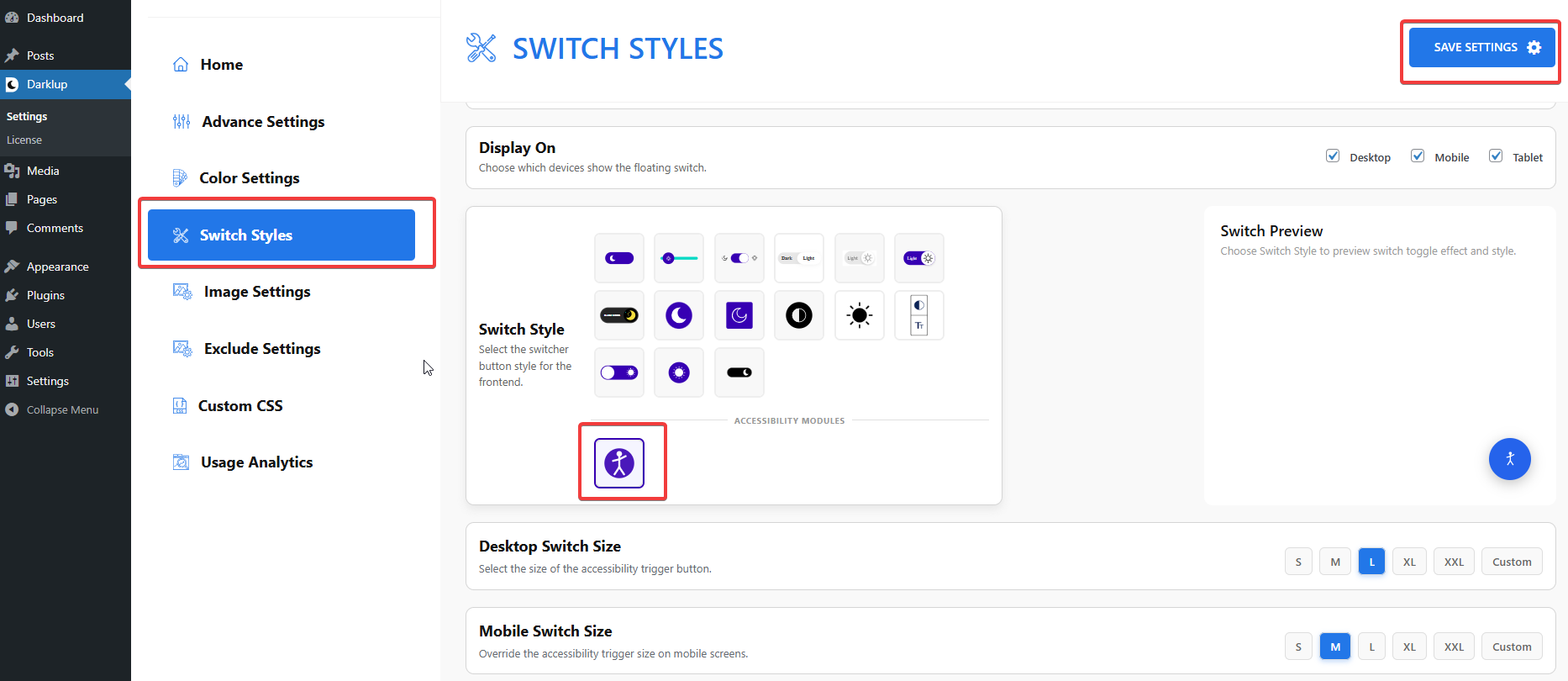
Scroll down to the Visual Aids group and make sure Stop Animations is toggled On.
Step 2: Check Your Frontend Outlook #
When a visitor clicks Stop Animations in the panel, all CSS animations on the page stop immediately — sliders freeze, hover effects disappear, and transitions stop.
Clicking the card again restores all animations to their normal behavior.
This is how to configure Darklup Accessibility Stop Animations Module in just a few steps. If you want to get all Darklup features, visit our documentation page for a step-by-step guide.